Lumenhart

Products

Activity CleanerClean up years of LinkedIn activity in minutes.
More on the wayNew tools for the rest of your online life.

Activity Cleaner

Clean slate.

Years of LinkedIn posts, comments, reactions, reposts and saved items, gone in minutes. You choose what goes. It does the rest, privately, right in your browser.

  • Nothing is removed until you confirm
  • No password needed
  • Chrome, Edge and Brave

Three steps. No surprises.

You stay in charge from the first click to the last.

Find everything.

Pick a tool and Activity Cleaner gathers your old posts, comments, reactions, reposts or saved items for you. Add a keyword to narrow it down.

Keep what matters.

Every item is listed before anything happens. Untick the ones you want to keep, and they stay exactly where they are.

Clear the rest.

Confirm once, and it removes your selection at a careful, steady pace. Pause or stop whenever you like.
Five tools. Every corner covered.

Clean everything, or just the part that matters to you. Each tool works on its own.

Posts

Your own posts, and reposts you added your thoughts to.

Comments

Comments and replies you’ve left on other people’s posts.

Reactions

Likes and other reactions on posts and comments, by type.

Reposts

Posts you shared to your profile without adding a note.

Saved items

Everything sitting in your Saved list, cleared in one go.

Gentle with your account.

Removing things in bulk should feel calm, not risky. Every step is built around that.

  • A review before every run

    Nothing is removed until you’ve seen the list and pressed confirm.

  • Filters that save time

    Match keywords, or pick which reaction types to remove, so the rest stays untouched.

  • Steady, considerate pacing

    Choose slow, medium or fast. If LinkedIn asks for a break, Activity Cleaner pauses and carries on by itself.

  • A record you can keep

    Download what was removed as CSV, JSON or Excel, for your own peace of mind.

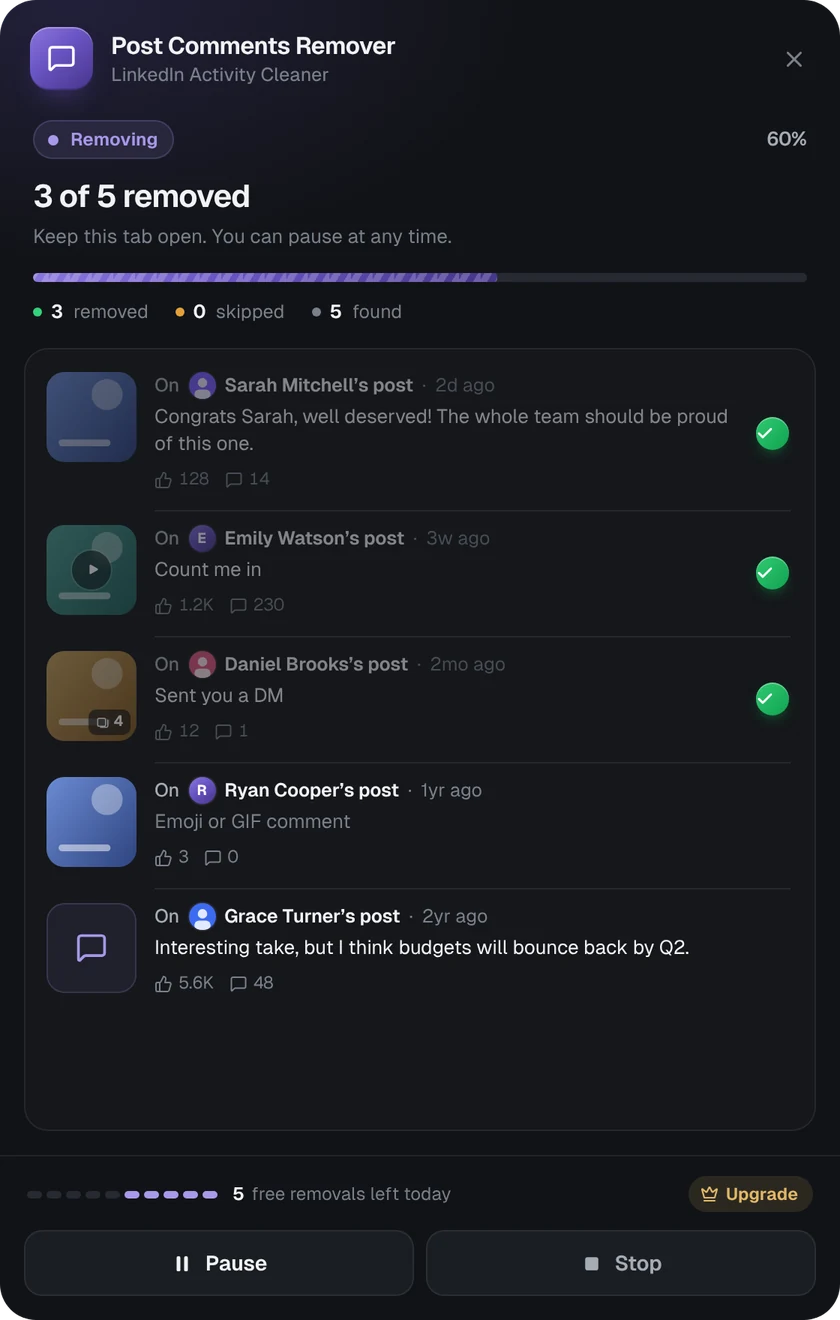
Activity Cleaner removing comments: 3 of 5 removed, with Pause and Stop buttons

What happens in your browser stays in your browser.

Activity Cleaner works inside your own LinkedIn session. We built it so we never need to see your content.

  • Runs on your device

    Everything happens in the LinkedIn tab you’re already signed in to.

  • No passwords

    Activity Cleaner never asks for your LinkedIn password, and never stores it.

  • We never see your content

    Your posts and comments are read on your device and are never sent to us.

  • Only what’s needed

    To count free daily removals we use your Chrome profile email. That’s all. Privacy Policy

At home in light and dark.

A calm, considered design that always looks like it belongs in your browser.

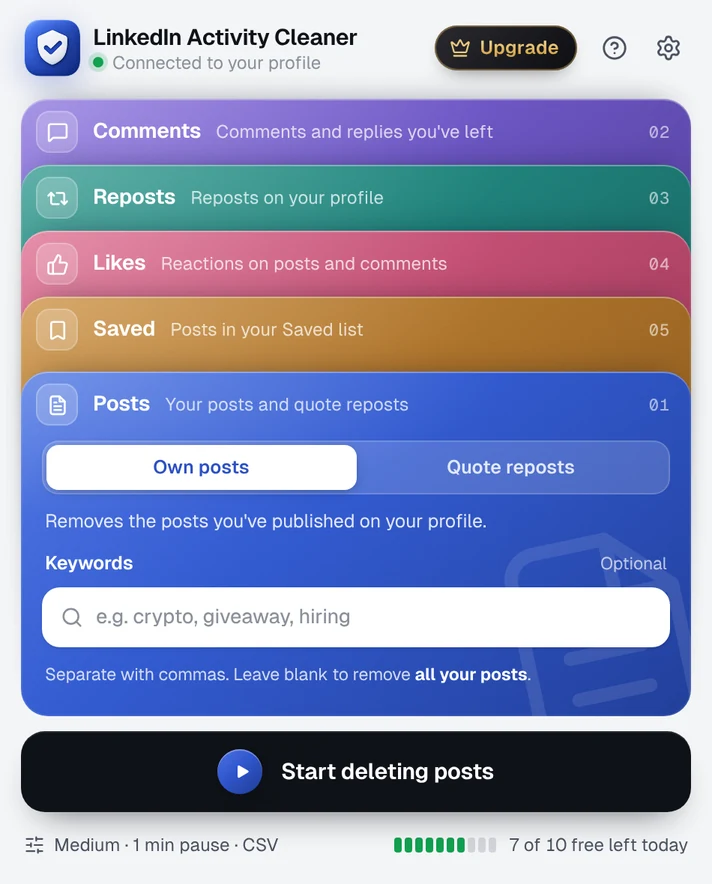
The Activity Cleaner menu in light mode, listing the five tools
Light
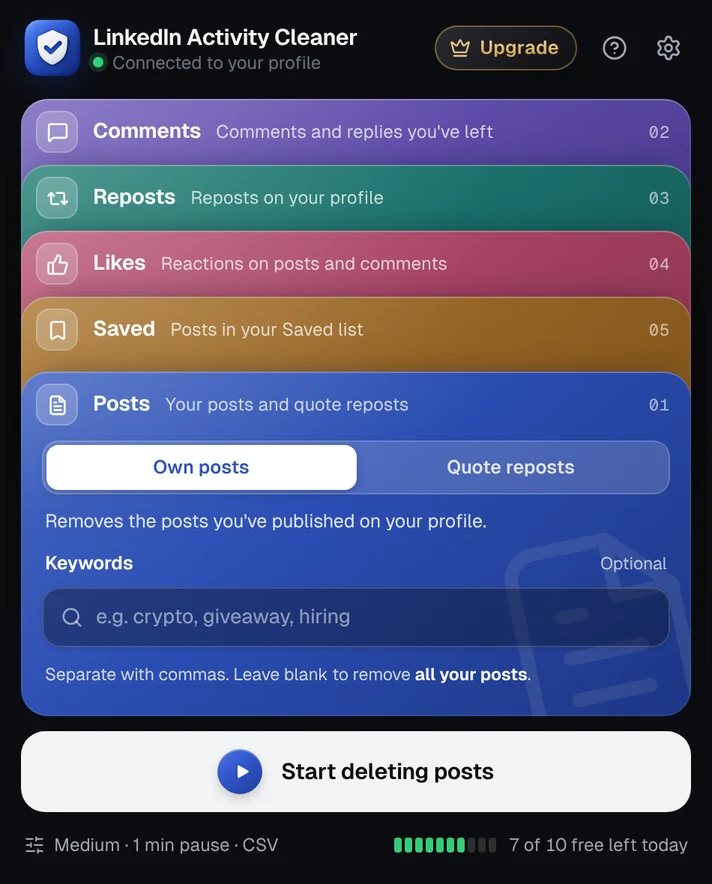
The Activity Cleaner menu in dark mode
Dark

Free to start. Pro when you need more.

The free plan covers a quick tidy-up. Pro removes the daily limit for a complete clean-up.

Free

For a quick tidy-up

$0forever

No card needed

  • 10 removals a day
  • All five tools
  • Review before anything is removed
  • Keyword and reaction filters
  • Export to CSV, JSON or Excel
Add to Chrome

Pro

For a complete clean-up

$12per month

Cancel anytime

  • Unlimited removals on every tool
  • Everything in Free
  • One license key for up to 3 browsers
  • 14-day money-back guarantee
Get Pro monthly

Prices in US dollars. Depending on where you live, VAT or sales tax is either included or added at checkout. Compare plans

Questions, answered.

Is Activity Cleaner made by LinkedIn?

No. Activity Cleaner is an independent product made by Lumenhart. It isn’t affiliated with, endorsed or sponsored by LinkedIn.

Do you need my LinkedIn password?

Never. Activity Cleaner works inside the LinkedIn tab you’re already signed in to, so there’s nothing to log in to and no password to share.

Can I choose exactly what gets removed?

Yes. Before anything happens you see the full list of items it found. Untick anything you want to keep, or use keyword and reaction filters to narrow it down.

Is it safe for my LinkedIn account?

Activity Cleaner removes items at a measured pace and pauses automatically if LinkedIn asks it to slow down. For very large clean-ups, the slower speed setting is the most cautious choice.

LinkedIn decides how its own platform works and may limit activity at any time, so we can’t promise how it will respond. Please use your own judgement, especially with big batches.

Can I undo a removal?

No. Once LinkedIn deletes something it’s gone for good, which is why the review step comes first. You can download a record of everything that was removed.

What does Pro include?

Pro removes the daily limit on all five tools, so you can clean your whole history in one go. It costs $12 a month, or $96 a year, and one license key works in up to three browsers.

How do I cancel, or get a refund?

You can cancel at any time from your license page or the link in your receipt email, and Pro keeps working until the end of the period you’ve paid for. If you’re not happy, ask for a refund within 14 days of a payment. After that, the payment can’t be refunded. See our refund policy.

Which browsers does it work in?

Google Chrome, Microsoft Edge and Brave on desktop. Install it from the Chrome Web Store.

Start with a clean slate.

Install Activity Cleaner for free. Upgrade only if you need to.